

28 jul 2026
Paperwork rarely feels urgent until you can’t find the document you need. One week it’s supplier invoices, the next it’s tax forms, insurance documents, and signed contracts that all need to be filed away.
A reliable filing system for small business record-keeping pays off throughout the year. It simplifies tax preparation, gives you quick access to documents during an audit, and helps protect your business if legal questions arise.
This guide covers the essential records every small business should keep, how long they’re typically retained, and practical ways to organize everything without letting documents pile up.
Some records are worth keeping for decades, while others can be safely discarded after a few years. Knowing what to keep prevents your files from becoming cluttered over time.
If you’ve formed an LLC or corporation, keep these documents permanently, even if your business eventually closes:
These records verify your business’s legal status and may be required when opening bank accounts, applying for loans, or renewing licenses.
Financial records give you a clear picture of your income, expenses, and overall business performance. They’re essential during tax preparation and equally valuable if your records are reviewed.
Keep copies of:
Well-organized financial records help monitor cash flow and reduce the stress of preparing annual tax filings.
Store signed contracts with customers, vendors, freelancers, and service providers. It’s also worth keeping lease agreements, insurance policies, and any amendments made after the original contract was signed.
If questions come up months or even years later, keeping signed agreements provides a clear record of what both parties agreed to.
If you have employees, maintain payroll records, tax forms, employment agreements, and other required personnel documents. Retention requirements vary depending on where your business operates, so it’s important to follow local labor regulations.
Record retention isn’t one-size-fits-all. Requirements vary depending on the document type, your location, and local tax or employment laws.
While exact requirements differ, the table below summarizes commonly recommended retention periods for U.S. businesses.
| Document | Typical retention period* |
| Tax returns | Usually 7 years; longer in certain situations |
| Payroll records | At least 4 years |
| Invoices and receipts | Generally 3–7 years, depending on tax requirements |
| Bank statements | Around 7 years |
| Contracts | Keep for several years after expiration (subject to applicable laws) |
| Business formation documents | Permanently |
| Business licenses | Keep while active and retain previous versions when required |
*Retention requirements vary by country, state, and industry. The retention periods above are general recommendations based on guidance from the Internal Revenue Service (IRS). Always check the regulations that apply to your business or consult a qualified tax or legal professional.
Once a document has reached the end of its retention period, dispose of it securely. Shredding paper copies and permanently deleting outdated digital files helps reduce clutter while protecting sensitive information.
Keep your filing system simple. A handful of well-organized folders and consistent file names are usually enough to make documents easy to find.
Start by grouping documents into broad categories such as taxes, finances, legal documents, employees, and operations. Within each folder, organize files by year or client so older records remain easy to locate.
Descriptive file names make a noticeable difference. A name like 2026-03_ClientInvoice_ABCCompany.pdf tells you exactly what’s inside before you even open the file. You can also use autonaming with iScanner.
Receipts are often the first documents to disappear, especially after business trips or client meetings. Scan receipts as soon as you receive them and use OCR to extract numbers for financial reporting.
If you’ve accumulated years of paperwork, start with active files and work backward whenever you have time. Bulk scanning makes the process much faster once you’re ready to digitize larger batches.
Once you’ve started organizing your records, keeping digital copies can make them even more manageable. Paper records are still required in some situations, but digital files are faster to organize, search, and share.
Printing, filing, and storing paper records also come with ongoing costs. Research by Xerox found that 66% of small and mid-sized businesses spend more than $1,000 each month on printing activities, making printing a significant ongoing expense for many businesses.
Digitizing frequently used documents reduces paper consumption, simplifies document handling, and can lower ongoing administrative costs. Even small changes, such as scanning receipts or invoices as soon as they arrive, help organize business records from the start.
Once your records are digital, you can find the right document in seconds. Scanning paper documents creates searchable PDFs using OCR (Optical Character Recognition), so you can look up an invoice number, customer name, or keyword without opening dozens of files.
OCR also makes documents easier to work with. If you collaborate with international clients, tools that scan and translate documents can help you review paperwork in different languages more efficiently.
As more business records move online, protecting them becomes just as important as organizing them. Business documents often contain financial information, employee data, and signed agreements. That’s why mobile document security should be part of your workflow from the start.
Store files in secure locations, limit access where appropriate, and keep regular backups. Those simple habits help protect sensitive information and ensure important records are always available when you need them.
A well-organized digital archive is easier to build when your scanning tools support the way you work.
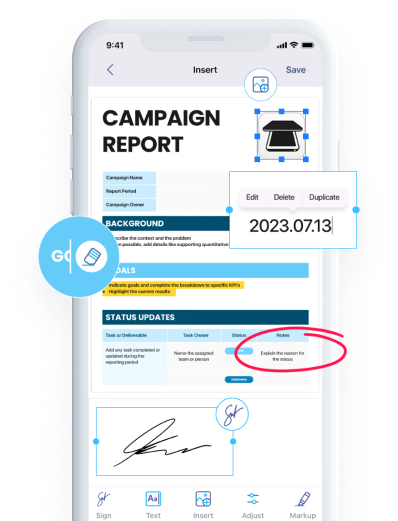
Once you’ve started digitizing files, the right scanning app helps you stay organized. iScanner captures high-quality scans, uses OCR to create searchable PDFs, and improves document clarity with AI-powered enhancements.
As your document library grows, everything stays organized in one place, making contracts, receipts, and other important records easy to find whenever you need them.
The best record-keeping system is the one you can maintain consistently. When every document has a clear place, whether it’s a filing cabinet or a searchable digital folder, you’ll spend less time looking for business documents and more time running your business.