

17 jun 2026
Paper bills have a habit of going missing right when you need them most. They often end up in wallets, drawers, cabinets, boxes, and all those other places bills go to disappear. But when it comes to filing taxes, budgeting, tracking payments, or keeping a record of expenses, not being able to find the right bill can quickly become a problem. The solution is having a system. These few steps will help keep your bills organized and accessible.
First and foremost, bills are important when filing taxes. Unlike receipts, which usually only show the total amount, bills often include itemized lists, the buyer’s name, descriptions of goods or services, and service dates.
Second, they help you understand your expenses and compare them against your budget.
Third, bills make it easier to compare prices over time and track changes in costs.
Fourth, they help you avoid missed due dates and late payments.
Fifth, bills provide a record of services rendered or charges incurred, so you always know exactly what you paid for and how much it cost.
To get the most out of these benefits, it helps to keep your bills organized.

Scanning bills is the easiest and most efficient way to store them. It:
There are two ways to do it: using a traditional scanner or dedicated mobile app.
The first option can be a bit of a hassle. You need access to a scanner and have to digitize each document one by one. And if your hard copies aren’t in a standard format, you’ll have to tinker with the settings.
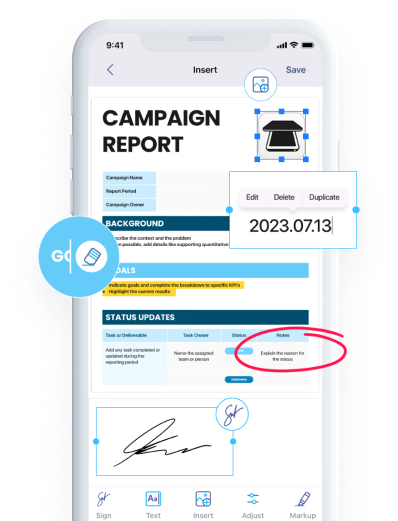
A dedicated scanning app is an easier option. Take iScanner for example: it can scan multiple documents, automatically crop them, improve image quality if the original is curved or damaged, and recognize text to make documents searchable.
The scanning process only takes a few seconds:
Now it’s time to decide what to do with the hard copies. After you scan something, iScanner will analyze it and tell you whether it can be recycled immediately or should be kept for a certain number of years.

Digitizing your bills is only half the job. Now you need a clear organization system so your documents don’t go from paper clutter to digital chaos.
One option is to create categories that match your needs. You can set up a separate folder in iScanner for bills and then divide them into types, such as Utilities, Insurance, Business, Internet, Car, and so on. If needed, you can take it a step further by creating subfolders for things like car repair, fuel, and more.
Another approach is to organize bills by date, starting with the year, then month, and day. This method may work better for bills you still need to pay, helping you avoid missing deadlines.
You can also invent your own system. The only rule is that it should be easy for you to use. If it isn’t, it needs some tweaking.
For bills that contain sensitive information, you can store them in the Safe Folder. It’s a PIN-protected folder that can be hidden from others, and you can even create a decoy version that shows only selected files.
Here’s how to set up the Safe Folder in iScanner.
The main drawback of keeping files locally is that your device could be lost, stolen, or damaged. That’s why it’s a good idea to back up your bills.
iScanner allows you to sync documents across devices and back them up in the cloud, so your files remain accessible even if something happens to your phone or tablet. Cloud storage is optional, and if you enable it, your files will be stored on AWS servers. Your profile won’t be synced to the cloud unless you decide to.
Pro Tip: If you turned on cloud backup, you can enable two-factor authentication as an extra layer of security. It will help protect your documents even if someone has your password.