

04 jun 2026
The old rule of “No computer, no printing” no longer applies. These days, printing from your phone is quick and easy. Here’s the best way to do it, no matter which device you’re using.
It’s just convenient. Whether you need to print a contract at a client’s office, a recipe for your favorite pasta from your sofa, or a boarding pass at the airport gate, your phone is often the smartest option. Once connected to a printer, your device can handle it in seconds.
Before we learn how to print from your phone, here’s what you’ll need:
Many printers from brands like Canon, Epson, Brother, and HP have their own apps. However, switching between multiple apps can be inconvenient, so we won’t cover those here.
Open the iScanner app and find the documents you want to print. If you don’t have it yet, you can download it from the App Store or Google Play.
Once installed, iScanner lets you print any document you’ve scanned or imported. There are three ways to do it:
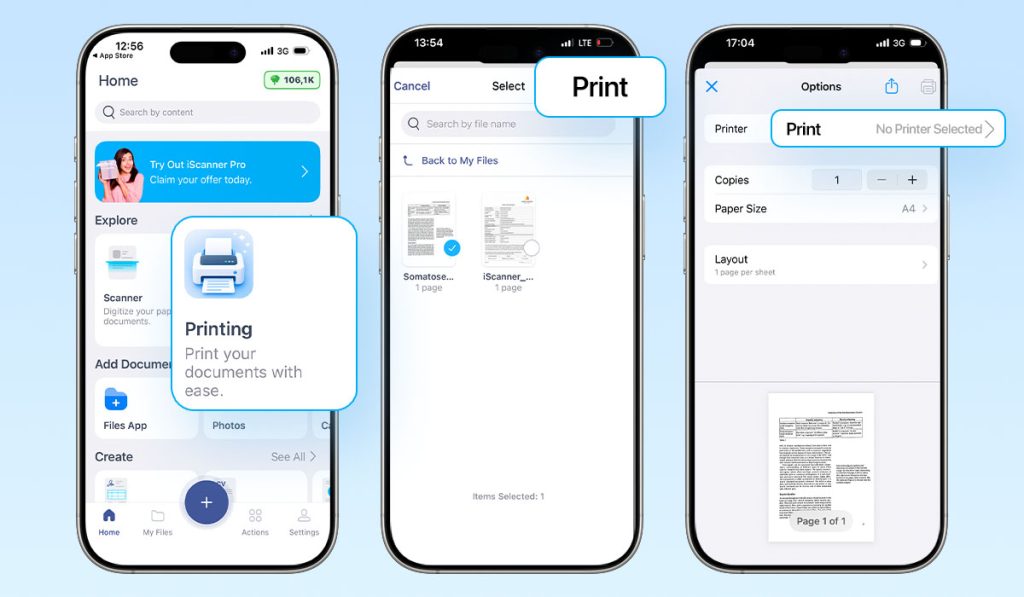
Pro Tip: If you’re printing a colored document on a black-and-white printer, it’s better to convert it to black and white first for a cleaner result. You can do this in iScanner by applying a B&W or grayscale filter to the original document, or with iScanner’s online tool.
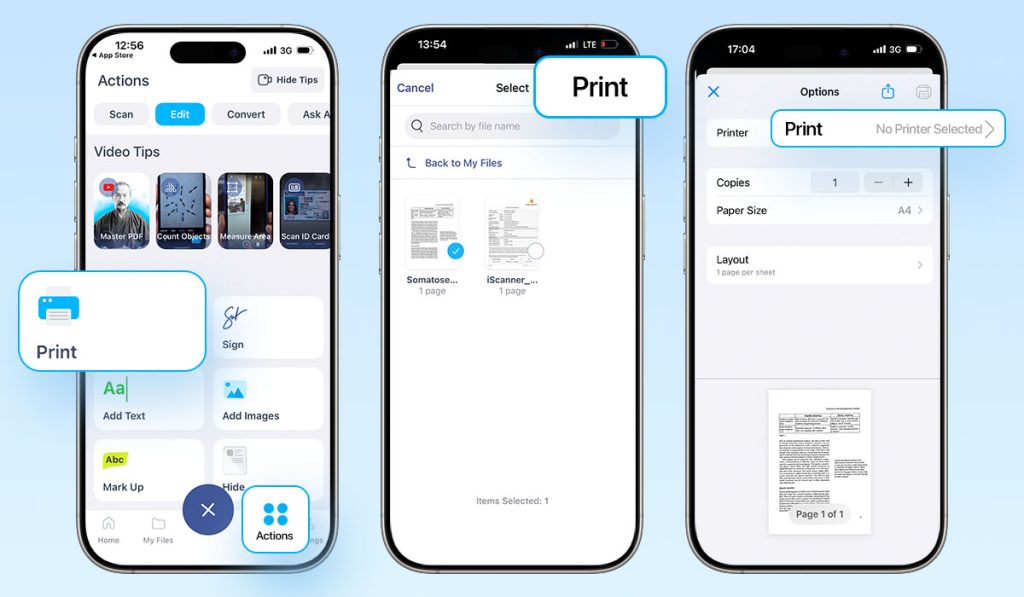
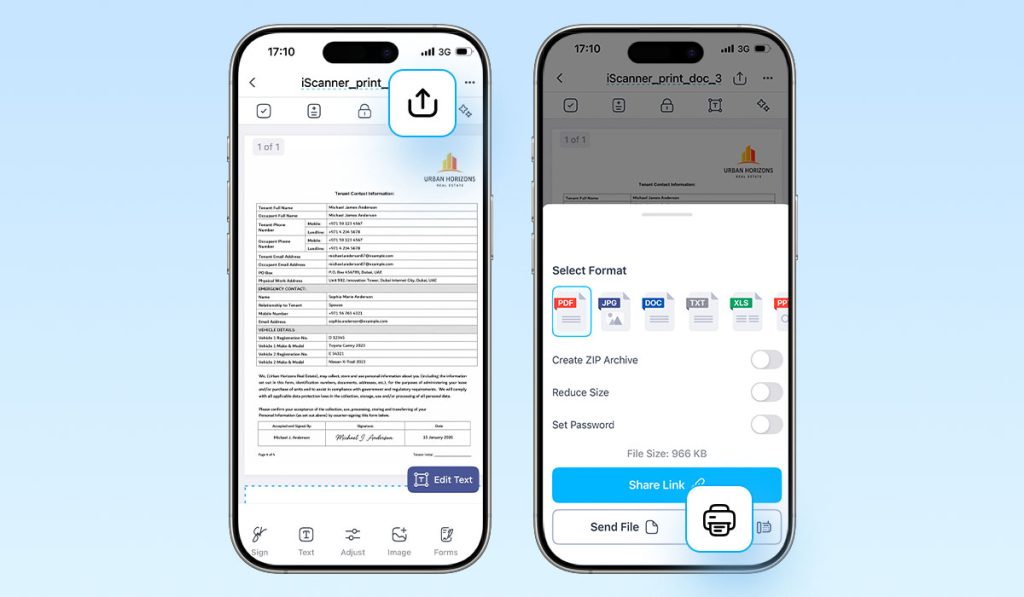
Important note: To see your printer, both it and your smartphone must be connected to the same Wi-Fi.
Pro Tip: You can use iScanner’s Eco Tips feature to instantly find out how long to keep a document and when it’s safe to recycle it. Just scan the paper, and the app will recommend whether to store it or declutter it.
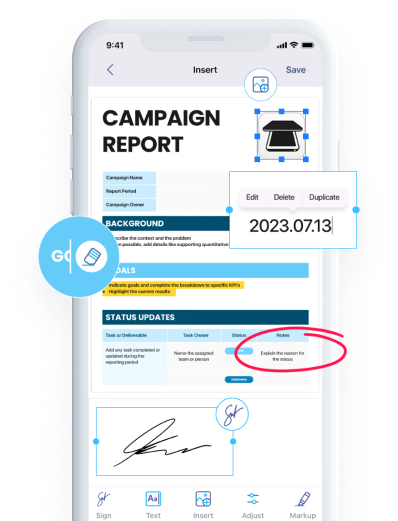
Apart from printing, iScanner can help you manage documents before and after they go to paper (or even eliminate the need to print them). You can: