

09 jun 2026
It doesn’t take much for a workday to go off the rails. A cluttered desk, poor lighting, constant distractions, or a document you can’t find can all slow you down before you’ve even started.
If your home doubles as your workplace, those small frustrations can add up quickly. Remote and hybrid work are a normal part of professional life, with 89% of large organizations now offering formal hybrid work programs.
A productive workspace doesn’t require a dedicated home office or expensive equipment. In most cases, a few practical adjustments are enough to reduce distractions, stay organized, and make the workday feel a little easier.
Here are 8 tips to help you get started.
The place where you work influences how easily you settle into your day. Over time, your brain starts associating that space with focus and productivity.
A spare room is nice to have, but it’s far from essential. A compact desk near a window, a quiet nook in the living room, or a converted guest room can work just as well.
A clear separation between work and personal life can make it easier to focus during office hours and switch off when the day is done.
Quick tip: If you share your living space, use a bookshelf, room divider, or folding screen to create a visual separation between work and home activities.
It’s easy to focus on monitors, keyboards, and other upgrades when setting up a home office, but comfort often has a bigger impact on productivity than shiny new gadgets.
An uncomfortable chair or poorly positioned screen can become a distraction throughout the day. You may not notice it right away, but hours of awkward posture can leave you with a stiff neck, tired eyes, or an aching back by the afternoon.
Check three basics:
You don’t need to create a perfect ergonomic workstation overnight. Raising your monitor with a stack of books or adjusting your chair height can improve comfort just as much as an expensive upgrade.
Pay attention to how you feel at the end of the workday. Discomfort is a sign that your workspace needs some tweaking.
Lighting rarely tops the list when setting up a home office, but it can make a surprising difference to your comfort and concentration.
A dark workspace can leave you feeling tired by midday, while a harsh glare can make reading and screen work uncomfortable. Good lighting creates a more pleasant environment and reduces unnecessary strain on your eyes.
Natural light is usually the best place to start. Position your desk nearby if possible, but avoid direct glare on your monitor.
If daylight is limited, add a desk lamp that provides consistent, even illumination.
You’ll likely notice the benefits during video calls as well. Better lighting can make you appear more engaged and professional without any extra effort.
Take a quick look around your desk. How many of those items do you actually use during a typical workday?
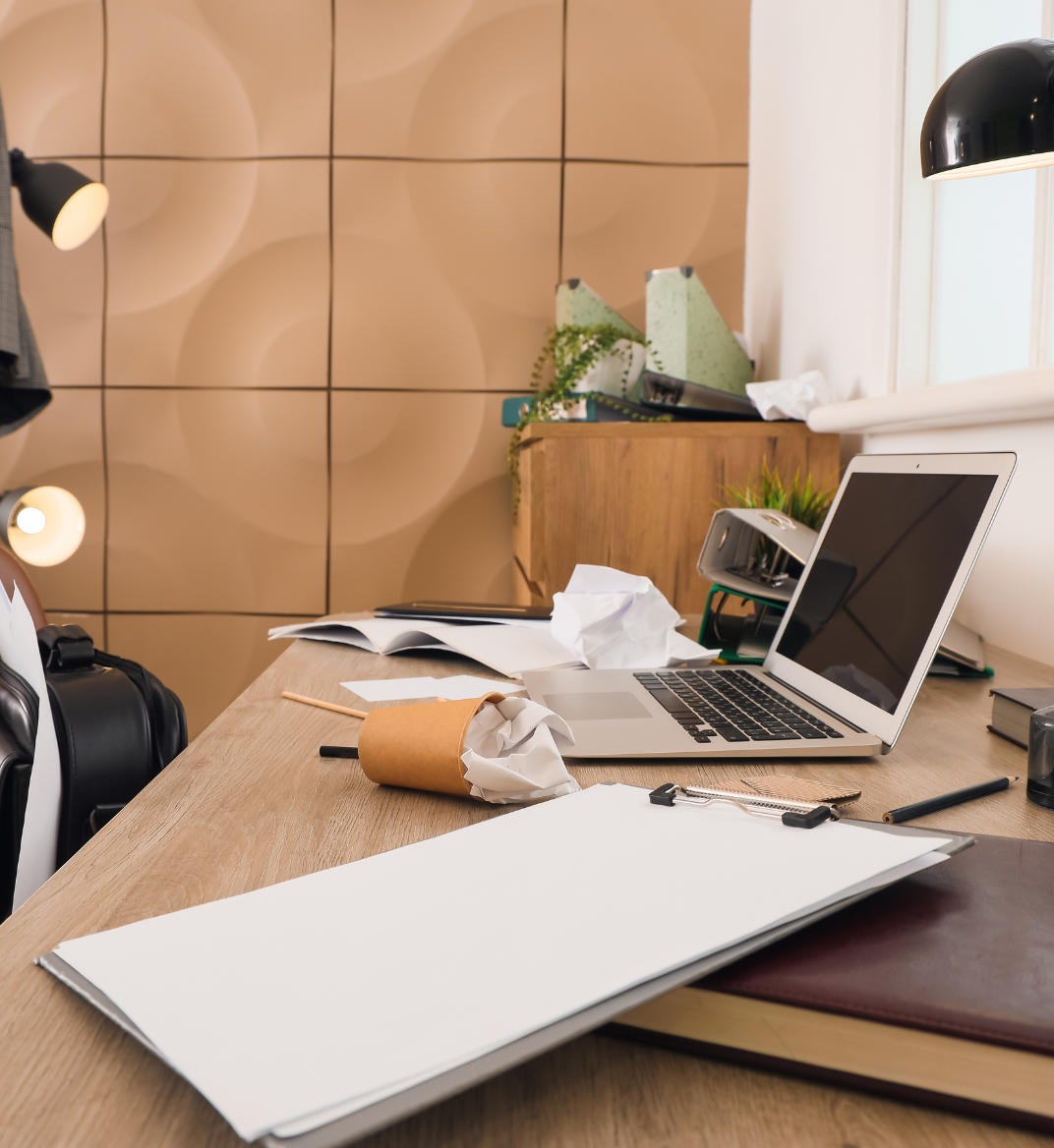
Pens, cables, unopened mail, sticky notes, and random objects tend to accumulate gradually. Eventually, they compete for your attention every time you sit down.
Keep the essentials close by:
Move everything else out of sight.
A clean desk won’t solve every productivity problem, but it removes a surprising amount of visual noise. Five minutes spent tidying up at the end of the day can make tomorrow morning feel far less chaotic.
It starts with a single receipt or invoice left on the desk. A contract arrives by mail. A tax form needs filing. Before long, important documents are scattered across drawers, folders, and piles of paper.
Without a system, paperwork tends to end up wherever there’s space—a drawer, a shelf, or the corner of your desk.
Consider organizing paperwork into categories like:
You don’t need an elaborate system. A simple one is often enough. When every document has a designated place, finding information becomes much faster.
This is particularly useful if you manage clients, business expenses, or multiple ongoing projects. As your filing system evolves, it’s also worth reviewing how to store and securely shred business documents that are no longer needed.
Once your paperwork is organized, consider how much of it needs to stay on paper.
You’ve probably experienced it before: a client asks for a contract, and suddenly you’re searching through drawers, folders, and stacks of paper trying to remember where you put it.
Scanning important paperwork gives you quick access to records without digging through folders or storage boxes. It can also reduce clutter and free up storage space. For many businesses, that’s reason enough to start moving away from paper records.
Start by scanning:
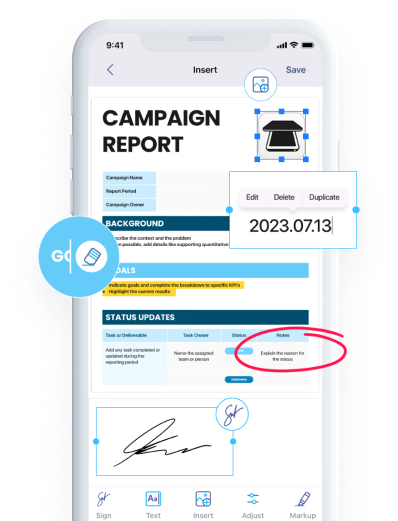
Once documents are digitized, OCR (optical character recognition) can turn them into searchable files. Tools like iScanner can scan, organize, and make business documents searchable directly from your phone. Need a specific invoice number or a client’s signed agreement from six months ago? A quick search will do the trick.
Scanned documents can become just as difficult to manage as paper files if there’s no system behind them. A clear document management workflow helps keep files organized from the moment they’re scanned to the moment they’re archived.
From there, a simple folder structure makes files easier to find when you need them.
Here’s one example:
Business
You’ll appreciate a clear naming system the next time you’re searching for an old document. A document called “Invoice-March-2026-ABC-Company.pdf” is far easier to identify than “Scan001.pdf.” Adding dates, project names, or client names today can save several minutes of searching in the future.
Store important files in secure cloud storage so they’re available across devices and backed up if your computer fails.
When your office is only a few steps away, work can quietly spill into evenings and weekends.
You finish a task, check one more email, reply to a message, and suddenly thirty minutes have disappeared.
A simple end-of-day routine helps draw a line between work and personal time. Closing work apps, reviewing tomorrow’s priorities, and shutting down your computer can signal that the workday is finished.
Those small habits make it easier to disconnect and return with more energy the next morning.
Productivity rarely comes from buying another piece of equipment. More often, it comes from fewer distractions, better organization, and systems that make information easy to find.
Start with one or two improvements. Clear a corner for work, organize your paperwork, or build a simple digital filing system. Small changes add up over time. A better workspace today can save you hours of frustration in the future.