

13 aug 2026
Running a small business comes with plenty of paperwork, but some documents are more important than others. These are the records that help you stay compliant, prepare for tax season, protect your business, and keep daily operations running smoothly.
If you’re starting a business or reviewing your existing records, this checklist covers five document categories you should keep organized. You’ll also find practical tips for scanning each type of paperwork and creating digital copies that are clear, searchable, and ready when you need them.
Business formation documents establish your company as a legal entity and outline its structure. You may need them when opening a business bank account, applying for financing, registering with government agencies, or proving ownership.
Based on your business structure, these documents may include:
For LLCs, an Operating Agreement typically sets out how the company is managed and how ownership and financial matters are handled. These are long-term records, so store the originals somewhere safe and create digital copies for quick access.
Quality matters when digitizing official paperwork. Signatures, seals, registration numbers, dates, and small print should be clearly visible. Check every page after scanning and keep pages from the same document together.
If your documents contain colored seals, stamps, signatures, or logos, try the Clear filter in iScanner. It helps clean up the scan while preserving important colors.
Pro tip: Use 300 DPI mode in iScanner when scanning official business documents. It provides enough detail for clear digital copies and meets many official document requirements.
Good tax records help you prepare accurate returns and provide documentation if information needs to be verified later.
Important paperwork may include:
These records are useful throughout the year. You may need them when working with an accountant, applying for financing, renewing registrations, or checking information from a previous tax year.
Create a dedicated tax folder and update it as new paperwork arrives. Organizing records throughout the year saves you from scrambling when filing deadlines approach.
Tax records can accumulate quickly, so searchability is especially useful here.
Pro tip:Run your scanned tax documents through OCR (optical character recognition) in iScanner. OCR recognizes the text inside a scan, making the document searchable.
Licensing requirements vary by industry, location, and the services your business provides. Depending on your work, you may need:
Your requirements may also change as your business grows. Opening another location, expanding your services, or entering a new market can come with additional requirements.
Pay attention to renewal dates. An expired license can create unnecessary problems, and relying on memory alone is risky when you’re managing several permits.
Check that the business name, license number, issuing authority, issue date, and expiration date are clearly visible in your scan. If the license has information on both sides, scan both.
Pro tip:After saving a license or permit, create a reminder for its expiration date in iScanner.
Accurate financial records show how your business is performing and support decisions about spending, budgeting, and growth. They’re also important when preparing tax returns, applying for loans, or working with an accountant.
Your financial records may include:
Invoices document sales and payments, while receipts provide evidence of business expenses. Keeping both organized gives you a more complete record of money coming in and going out of your business.
Scan invoices and receipts as they arrive instead of letting paper copies pile up. This is particularly useful for thermal-paper receipts, which can become harder to read over time.
Before saving a scan, check that important details such as the vendor, date, invoice number, total, and tax amount are legible.
Contracts record your agreements with clients, vendors, employees, and business partners. Insurance documents provide details about your coverage and what to do if you need to make a claim.
Important records can include:
Keep the latest signed copy of each agreement and clearly separate older versions. Before archiving a contract, check that all signatures, initials, dates, amendments, and attachments are included.
Multi-page contracts can be awkward to scan, especially when the pages are stapled together. Removing the staple every time can damage the paper and create extra work.
Pro tip: Scan the contract while it’s still stapled and use Edge Repair in iScanner to fix the affected corner of the scan afterward. This can give you a cleaner digital document without removing and replacing the staple.
You can also use AI Chat in iScanner to ask questions about a scanned contract, find important information, or clarify sections before signing. For contracts with significant legal or financial consequences, it’s best to seek professional legal advice.
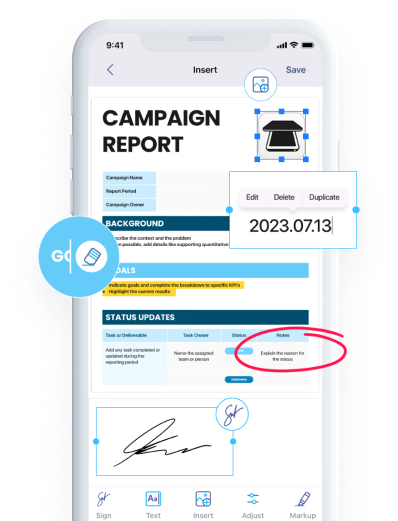
Once you’re ready to sign, you can add a signature directly in iScanner. If you sign documents regularly, you can extract your signature and save it as a template for future use.
For paperwork in another language, iScanner can also help with scanning and translating documents, which is particularly useful when working with international clients or suppliers.
Business paperwork is much easier to manage when important records are organized and accessible. Creating reliable digital copies can also help protect information that may be difficult to replace.
iScanner turns paper documents into clear, searchable files you can access whenever you need them. A simple scanning routine today can save valuable time as your business and document archive grow.