
Convert HEIC to PDF

Click Select File or simply Drag & Drop

No signing-in or installation required

promo image iscanner icon

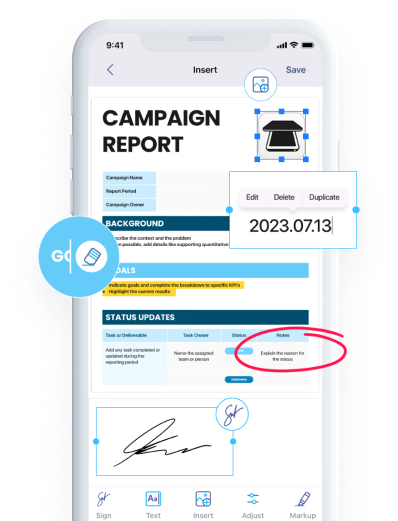
All Editing Features You Need

Download iScanner to manage PDFs with ease!

How to Convert HEIC to PDF

Select the image (HEIC) you want to convert,
iScanner’s HEIC to PDF converter will instantly convert it into a PDF preserving the original text and formatting,
Click Download to save your PDF file. You’re all done!

Why Use Our HEIC to PDF Сonverter

Fast HEIC to PDF Converter

Convert HEIC to PDF in seconds with one click
No ads & no watermarks added to your documents

Secure HEIC to PDF Conversion Tool

Easily convert HEIC to PDF while keeping your files safe and private

Reliable HEIC to PDF Converter

Use our HEIC to PDF converter on desktop or mobile devices for smooth and convenient file conversion

No commitment

Looking for a HEIC to PDF converter free of charge? No registration, subscriptions, or hidden fees

Tips for Converting HEIC to PDF

Getting PDF on iPhone in a Snap

To avoid the need to convert HEIC to PDF, download iScanner on your iOS device instead. There, you can scan whatever you like and save it as editable PDF file with just a few taps.

Sharing Converted Files

After using our HEIC to PDF converter, you can download the file and share it however you want. You can also install iScanner on your iOS or Android device and use the Share option directly from the app.

Editing the PDF File After Conversion

You can edit the downloaded PDF file in any editor. Alternatively, you can first edit your HEIC file and then convert HEIC to PDF to receive the updated version of the file.

FAQ

What is a HEIC file and why convert it to PDF?

A HEIC file (High Efficiency Image Container) is an image format used to store photos in a highly compressed form while keeping good quality. It’s commonly used on Apple devices like iPhone.

You might convert HEIC to PDF because:

  • PDF is more widely supported across devices and platforms;
  • It’s easier to share or print multiple images in one document;
  • PDF preserves layout and is convenient for viewing without special apps.
Will converting HEIC to PDF preserve image quality?

Yes, converting HEIC to PDF generally preserves image quality, as the image is embedded without significant loss, especially if no additional compression is applied during conversion.

Are there limits on the number or size of HEIC files I can convert?

No, there are no strict limits on the number or size of HEIC files you can convert when using iScanner. You can convert multiple HEIC images to PDF in one go, as long as your device has enough storage and memory.