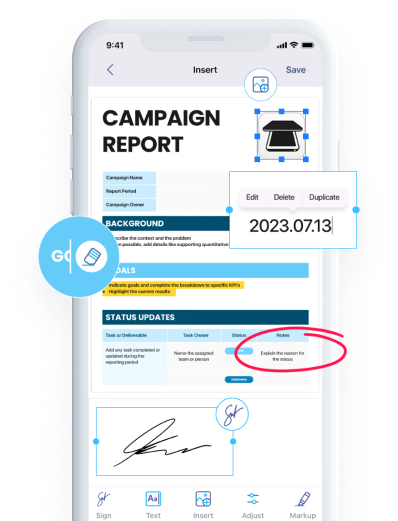


14 jan 2026
A noticeable shift in the software world marked 2025. Microsoft decided to shut down its dedicated scanner app, Microsoft Lens, leaving thousands of users without their trusty scanning tool. For years, the app quietly did its job, being a convenient way to scan a document and instantly upload it to your OneDrive. Those times are over, and now many people need to either migrate to Microsoft 365 Copilot or find an alternative. If you’re among those looking for a reliable way to replace what Lens used to do, there are ways forward. You may even discover that some alternatives are more capable than what you had before.

Fortunately, Lens hasn’t disappeared overnight. Its retirement, however, has been deliberate. Microsoft warned its users and executed a shutdown in several phases, allowing everyone to prepare for the inevitable. But while the standalone Lens app for iOS and Android was discontinued, its scanning features were gradually folded into the Microsoft 365 Copilot experience. From Microsoft’s perspective, the move makes sense, as it translates into fewer standalone apps, more centralized features, and deeper integration with its AI-driven ecosystem.
However, there may be uncertainty from a user’s perspective. Luckily, it’s not that big of a deal, considering how workflows can be adjusted and built around new tools, especially with an alternative straight from Microsoft. Still, the Lens shutdown might be an inconvenience for some people.
At first glance, Microsoft Lens was “just” a scanning app. In practice, it filled a critical role for several groups of people who relied on its simple yet valuable functionality:
What made Lens special was this balance between functionality and simplicity. Losing it is what many users are reacting to.

Microsoft’s answer to Lens users seems to be clear. Basically, scanning is just moving into Microsoft 365 Copilot. For those deeply reliant on the Microsoft ecosystem, this might feel like a reasonable transition. But for some former Lens users who haven’t really touched any Microsoft products outside their scanner app, Copilot may introduce new challenges:
At its core, Copilot excels as an AI-powered productivity assistant. But for people who just want to scan, organize, and export documents efficiently, it may feel oversized for the job. The gap between what Lens was and what Copilot is has pushed some users to look outside the Microsoft ecosystem. If you’re among those people, a notable solution is on its way.
Microsoft Lens worked so well because it stayed focused as a dedicated scanner app. That’s exactly why many former users are gravitating toward standalone scanning apps rather than all-in-one productivity platforms as a replacement.
Consequently, this is where alternatives begin to stand out. Besides, even though some users are looking for an exact Lens copy, a great alternative is one that addresses Lens’ limitations and expands on what a mobile scanner can be without overcomplicating things too much. One such solution is iScanner.
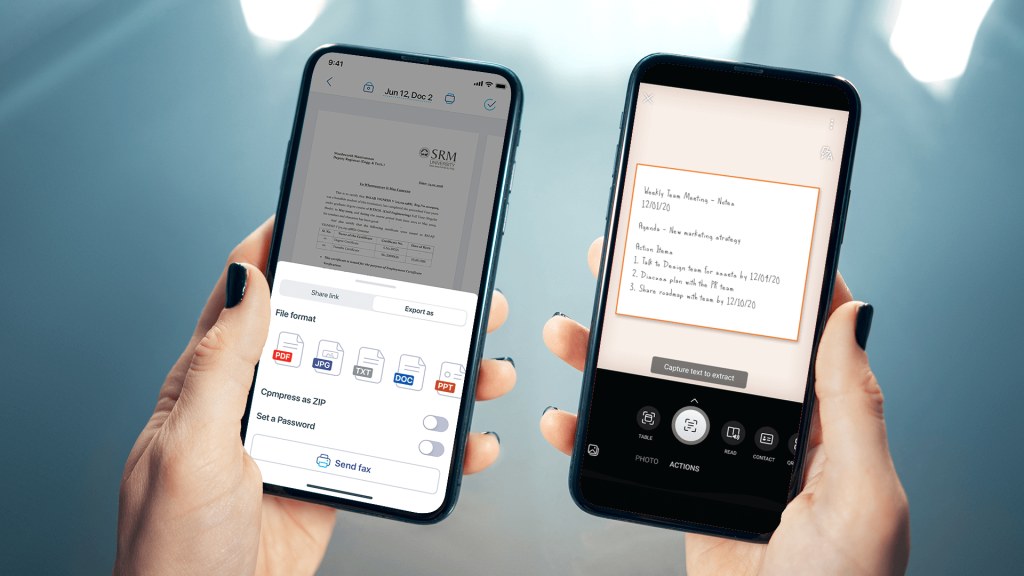
Even when Microsoft Lens was active, iScanner approached scanning differently. Lens prioritized simplicity and Microsoft integration, while iScanner focused on depth and flexibility. Some key differences of iScanner include:
Where Lens was intentionally minimal, iScanner leans into being a full document toolkit. While it can be used in a similar minimal manner, why stop there when you can manage and edit your scans and documents in one place with additional tools? That difference becomes especially important now that Lens is no longer evolving.
For people displaced by the shutdown of Microsoft Lens, iScanner solves many of the same problems while also addressing certain areas Lens never fully tackled.
Most importantly, iScanner functions as a dedicated scanner first, not as a secondary feature. That alone aligns it more closely with what Lens users originally valued.
Comparing iScanner to Microsoft 365 Copilot immediately emphasizes the core difference in intent, which doesn’t mean that one app is necessarily better than the other. It’s just that each is better suited for a different set of use cases:
For scanning-centric needs, iScanner naturally feels more intuitive and fitting. Copilot shines when scanning is just one step in a larger Microsoft-centric process, but for users who simply want a mobile scanner, it may not be the most obvious choice.
In that sense, iScanner feels closer to what Microsoft Lens was trying to be while also expanding into areas Lens never fully explored.
It’s understandable to feel frustrated when a trusted tool disappears. Microsoft Lens earned its place in people’s daily routines, and its retirement disrupts more than just muscle memory. Yet change has a way of opening doors. For many former Lens users, moving on means discovering tools that are more flexible, more powerful, more packed with document-centric features, and better aligned with how modern workflows are viewed today.
If Microsoft Lens was part of your daily life, its shutdown may feel like a loss. Luckily, dedicated scanning apps like iScanner do exist. They show that the core idea behind Lens can still thrive and even improve. With strong management, broad exports, and a focus on scanning as a primary function, iScanner offers a practical alternative for many of the people Lens once served.
In hindsight, the end of Microsoft Lens might actually be a transition toward tools that do more without asking you to compromise simplicity. So, if you value a fast and reliable mobile scanner that Lens once was, you now have a stress-free option to choose.
Changing a trusted app is never easy, so we offer you a way to test iScanner’s entire functionality for free before deciding on what to do next. Included in the offer is a three-month-long access to the iScanner Pro features, including in-house OCR (Optical Character Recognition) and 10 GB of secure cloud storage.
To claim your access, do the following (the offer ends on March, 31):
All that’s left to do is to enjoy iScanner Pro. Good luck!